Ch2: Beginner user guide
千里之行,始於足下。
- 移動選項
- 方向鍵
- 確認 / 選擇
- Enter 鍵
- 退出
- Esc 鍵
- 暫停
- 空白鍵 (Spacebar)
遠征 (Expedition)
遠征組合位於 .\data\expedition\expedition_preset.json
請根據需求自行修改遠征 ID。
{
               #2(長距離練習航海)        #3(警備任務)     #6(防空射撃演習)
  "active":         [[2],                 [3],              [6]],
  "passive":      [[5],[21],[38]],
  "overnight":    [[11],[24],[38]],
  "user":  [[],[],[21]]
}
初學者指南中不提供自動分配功能,請選擇 disable。
出擊 (Combat)
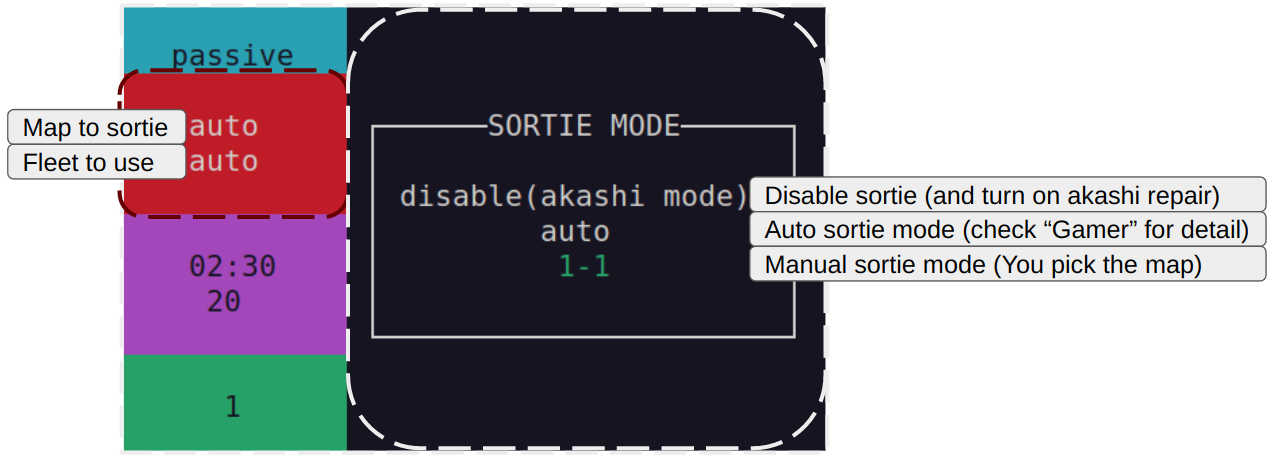
手動出擊模式 (Manual sortie mode)
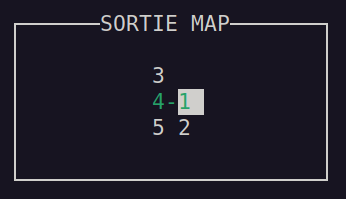
首先,透過方向鍵選擇出擊地圖。
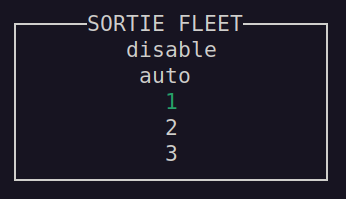
選擇你在艦隊Collection 遊戲內的編成記錄(選擇 disable 則代表直接使用當前艦隊)。
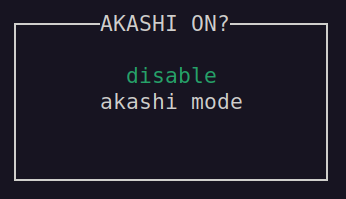
明石維修 (Akashi repair)
在出擊選單中選擇 disable(akashi mode) 後,
可以選擇開啟明石維修功能。
(此功能需要明石改才能使用)
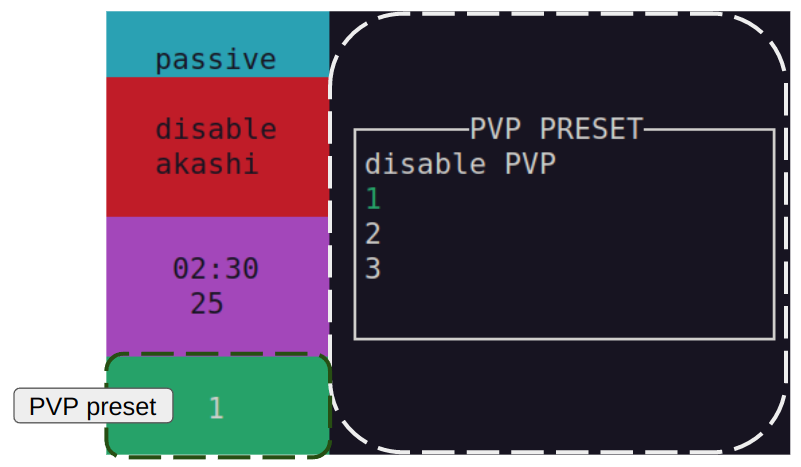
演習 (PVP)
關閉演習功能,或是選擇遊戲內用於演習的編成記錄
排程器 (Scheduler)
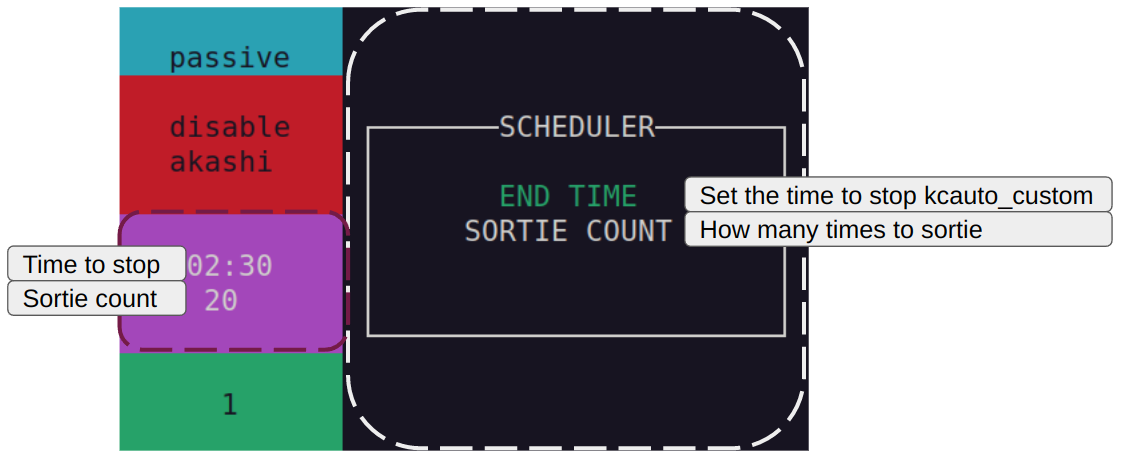
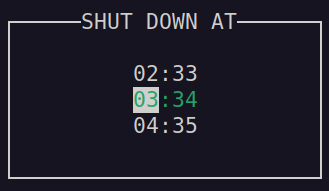
結束時間 (End time)
關閉 kcauto_custom 的時間(用方向鍵選擇時間)
(請絕對不要 24 小時全天候運作 bot,後果自負,LOL)
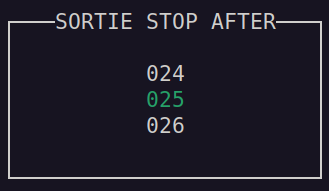
出擊次數 (Sortie count)
達到指定的出擊次數後,kcauto_custom 就會停止出擊。
(用方向鍵選擇出擊次數)
任務面板 (Quest panel)
在主頁面按下 ? (shift + /) 鍵,
可以選擇 kcauto_custom 要嘗試完成哪些任務,
再次按下 ? 即可離開任務面板。
啟動 kcauto_custom
第一次執行時,請從啟動畫面開始運行 kcauto
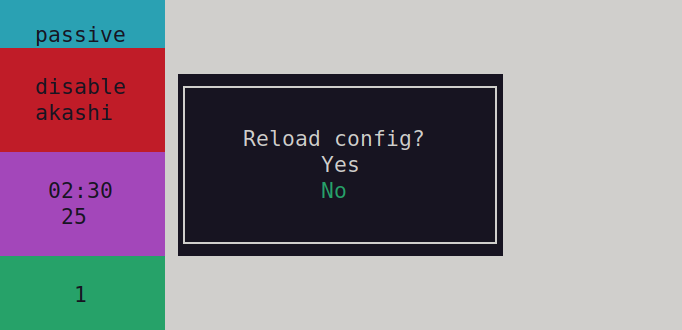
選擇 Log 面板,並重新載入你的設定檔。
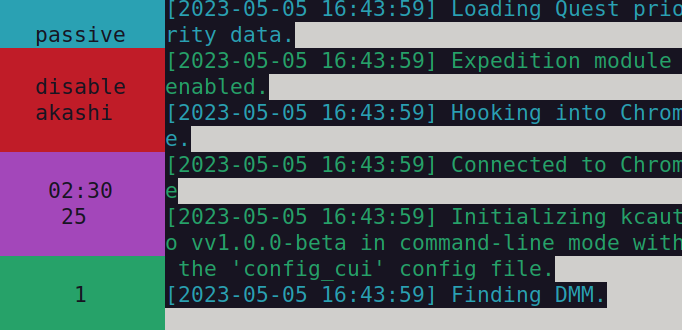
你在首次運行時可能會撞到以下錯誤:
[SUCCESS][2026-02-23 17:35:36] Initializing kcauto.
[DEBUG][2026-02-23 17:35:36] Loading data from 'configs/config_cui.json'.
[DEBUG][2026-02-23 17:35:36] Loading data from 'data/config/config_cui_template.json'.
[DEBUG][2026-02-23 17:35:36] Combat config init called
[DEBUG][2026-02-23 17:35:36] SET _sortie_map_read_only: {MapEnum(value)}
[DEBUG][2026-02-23 17:35:36] _repair_bucket_threshold set 500
[SUCCESS][2026-02-23 17:35:36] Config successfully loaded.
[DEBUG][2026-02-23 17:35:36] Loading data from 'data/temp/reinforce_general_category.json'.
[ERROR][2026-02-23 17:35:36] Reinforce equipment data not found, please start kcauto from splash screen
[ERROR][2026-02-23 17:35:36] [Errno 2] No such file or directory: 'data/temp/reinforce_general_category.json'
[DEBUG][2026-02-23 17:35:36] Loading data from 'data/temp/equipment_list.json'.
[ERROR][2026-02-23 17:35:36] Equipment data not found, please start kcauto from splash screen
[ERROR][2026-02-23 17:35:36] [Errno 2] No such file or directory: 'data/temp/equipment_list.json'
這是因為 kcauto_custom 還沒從艦隊Collection 那裡取得所需的資料。
只要在第一次運行後,你的 data/temp 資料夾裡有生成以下檔案,
就可以直接重啟 kcauto_custom。
kcauto_custom 從艦隊Collection 取得的所有暫存檔
Windows 使用者請注意:
有回報指出 kcauto_custom 在 Windows 上使用 chrome_driver 模式時運作得不太順暢。
如果你遇到滑鼠控制方面的問題,
建議切換至 direct_control 模式。
設定方法:
1. 運行 kcauto_custom 一次
2. 關閉 kcauto_custom
3. 開啟 configs/config_cui.json
4. 修改 "general.interaction_mode": "chrome_driver", => "general.interaction_mode": "direct_control",
5. 存檔並關閉
Windows 的滑鼠問題應已在最新版本中修復 (2026/07/28)。