Ch1: Setup guide
Common
You need to do this no matter what
- Run POI(Brave stopped supporting V2 manifest too... farewell KC3) with
debugmode - Use task manager to kill all POI process if needed.
This debug instance of POI must be the first instance for POI to run. If you have other POI windows open,
close all of them before re-starting withremote-debuggingenabled. - Example:
poi --remote-debugging-port=9222 --remote-allow-origins=*
(For Windows user: If you don't know how to start POI with options, read this)
(--remote-allow-origins=*is needed at the moment (2023/05/04)ref): -
How do I know if the
debugmode is on? Access
 127.0.0.1:9222, you should see a screen like this:
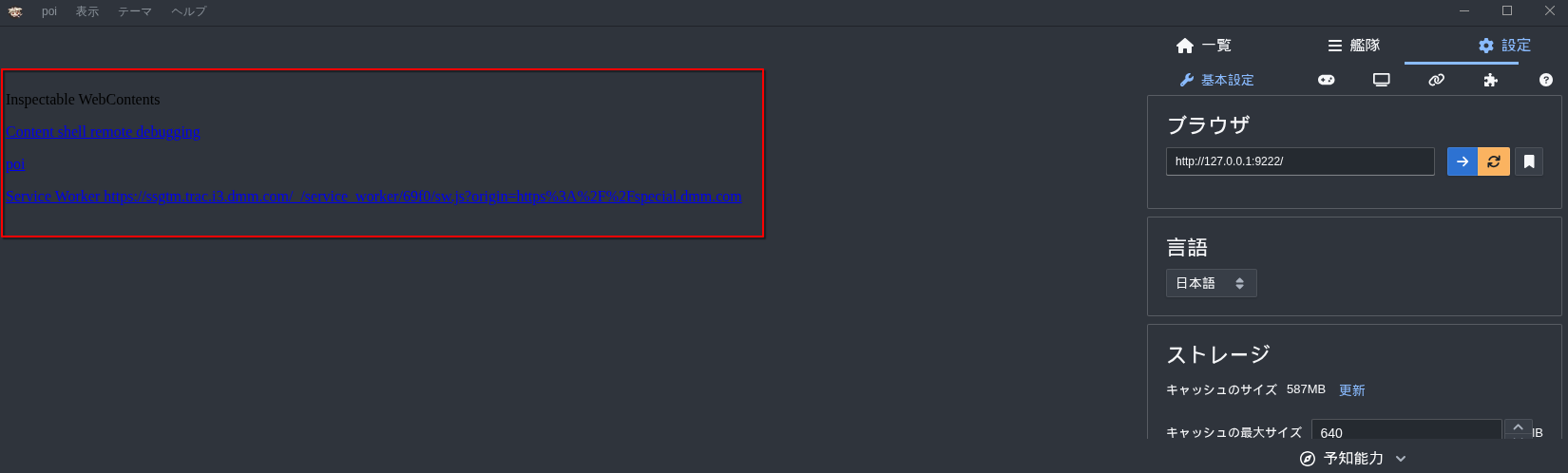
 Kill ALL POI process and retry if you see this:
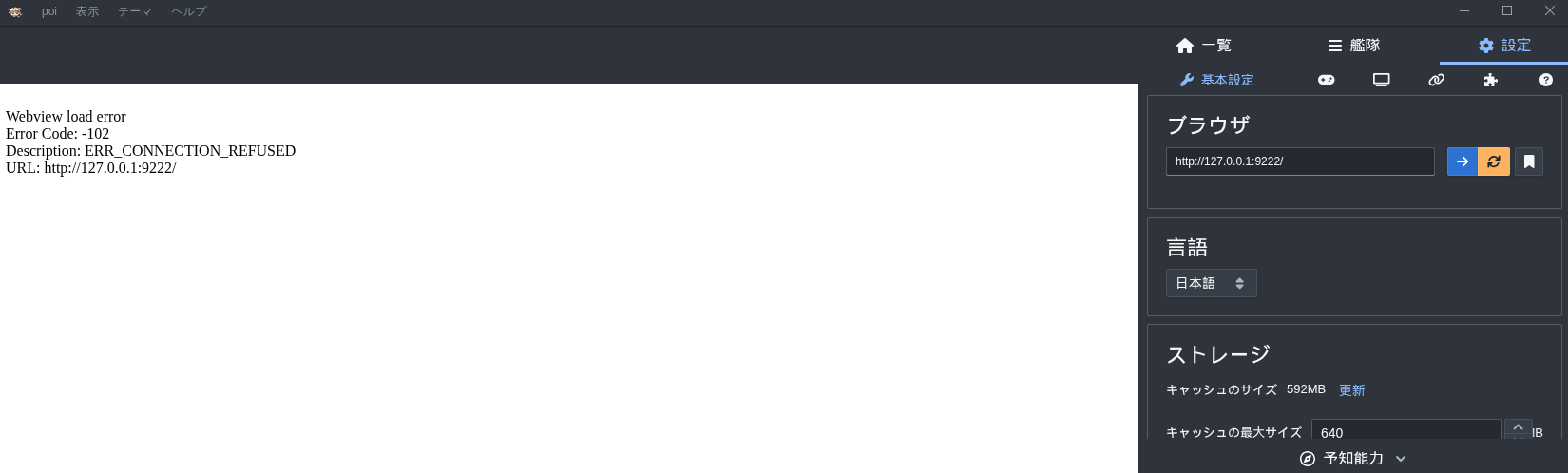
-
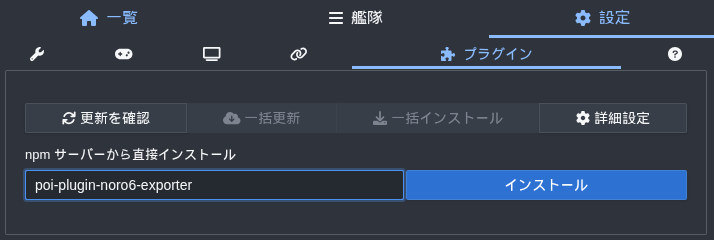
Install plugin
poi-plugin-noro6-exporterandpoi-plugin-forwarder- please be noted that Noro6 Exporter does NOT export config to original Noro6 site,
it export to XVs32's customize version instead
(noro6 takes forever to review the pull request so... had no choice but to setup my own)
- please be noted that Noro6 Exporter does NOT export config to original Noro6 site,


- POI interaction mode (
"general.interaction_mode": "poi") users only:poi-plugin-forwardermust be 1.1.0 or newer, older versions do not include the interaction service and the control port stays closed. kcauto checks the plugins on startup and prints the install commands if one is missing or too old. Install manually from a shell if you prefer:
sh
  cd "$APPDATA/poi/plugins"     # Linux: ~/.config/poi/plugins
  npm install "git+https://github.com/pmsleepcheck/poi-plugin-api-forwarder.git#feature/poi-interaction-server" --allow-git=all
  npm install poi-plugin-noro6-exporter
Restart POI after installing.
- For Linux(Ubuntu) users:
Wayland in Ubuntu does not work well with kcauto(and a lot of other stuffs, lol)
You would want to run your Ubuntu with the good old X-windows
Start Up
Pick one from Beginner, Gamer or Developer
Beginner
You have limited features but easiest installation and setup.
- Windows
- Double click
kcauto_cui.exe
- Double click
- Linux
- Run
./kcauto_cui
- Run
That's it!
Gamer
You have to deal with Noro6 but full access to all features.
- Windows
- run
.\kcauto_cui.exein Powershell for better user experience - or, run
.\bin/kcauto_custom\kcauto_custom.exe --cfg <your_config_name>to specify your own config file
(note that you do not need to add.jsonhere)
- run
- Linux
- Run
./kcauto_cui - or, run
./kcauto.bin --cfg <your_config_name>to specify your own config file
(note that you do not need to add.jsonhere)
- Run
Expert
Tweak everything from config file like a pro. Not for kid.
Always keep your backup.
Do not join if you don't know what you're doing.
See Ch4 for detail
Developer
Your own Python environment, free to edit/fix the tool yourself.
- Install Python 3.13 and pip
- Install
pipenvusingpip install pipenv - Create your
.venv, quick ref if you forgot how to make one - Activate venv by
source .venv/bin/activate - Install dependencies:
pip install -r requirements.txt-
Check
requirements.txtfor more instructions if you find yourself missing library -
Windows
- run
python .\kcauto\kcauto_cui.py - or, run
python kcauto --cfg <your_config_name>to specify your own config file
(note that you do not need to add.jsonhere)
- run
- Linux
- Run
python3 ./kcauto/kcauto_cui.py - or, run
python3 kcauto --cfg <your_config_name>to specify your own config file
(note that you do not need to add.jsonhere)
- Run